Your brand up front.
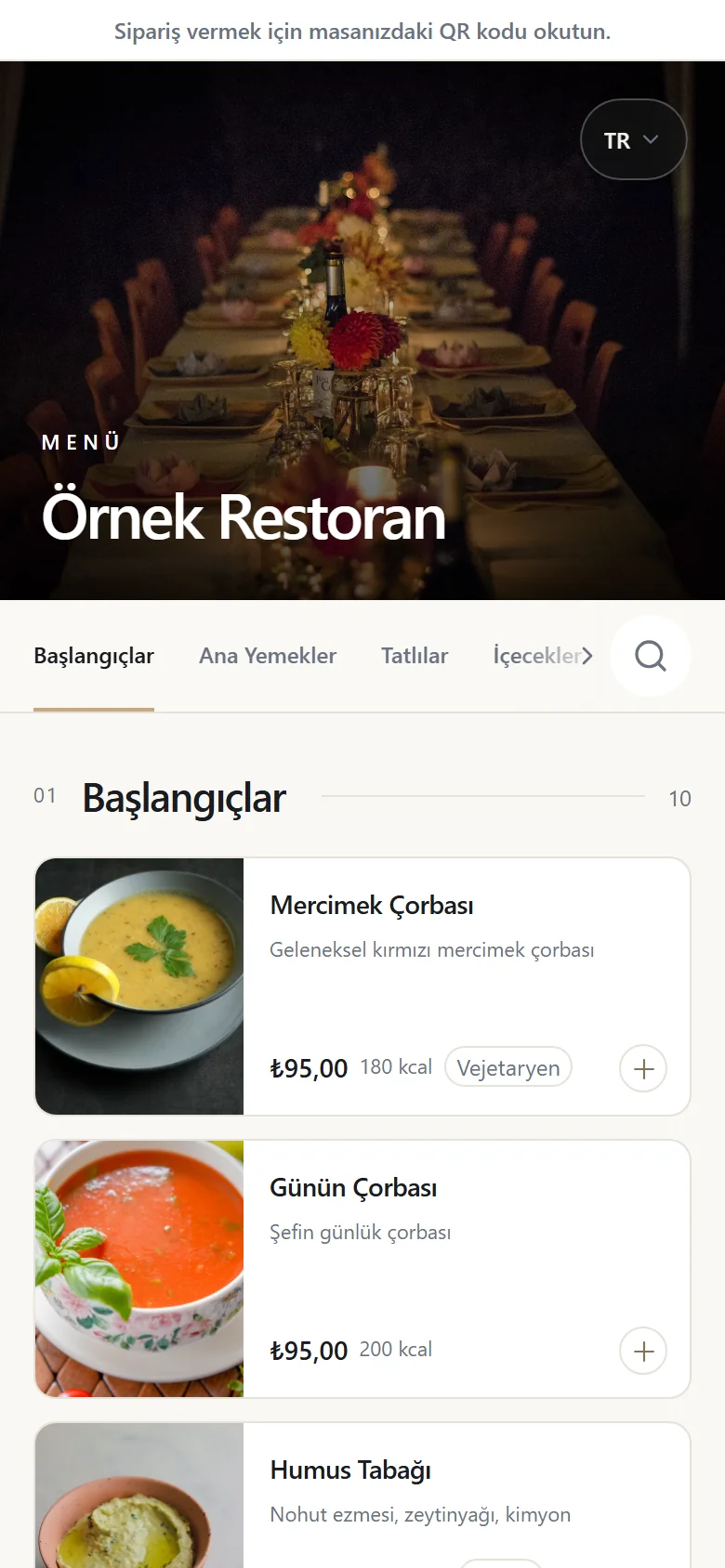
Your logo, your colours and your cover image. Your menu looks like a natural part of your restaurant.
01 — DIGITAL MENU
Leave the paper menu behind. Your guest scans the QR code and your menu opens — with photos, in five languages and always up to date.
Open the sample menu ↗No app to download. No sign-up.
A GOOD START, BEFORE THE WAITER ARRIVES
Your logo, your colours and your cover image. Your menu looks like a natural part of your restaurant.
Turkish, English, Russian, German and Arabic. You manage the translations; your guests browse in their own language.
Update prices one by one or in bulk. Mark what has sold out — no waiting for a reprint.
Add products in the panel or with Excel / CSV. Download a QR card for every table. Guests see photos, allergens and, if you add them, calories, and call the waiter when they need to. For ordering and bills, move up to the Service plan.
The menu opens over the guest’s own mobile data; it does not depend on the restaurant’s Wi-Fi. If the guest has no connection either, a paper menu as a backup is always a good idea.
No. You manage the menu in the panel from a phone or a computer. You can print the QR cards on any printer, or take the on-site setup package with acrylic stands if you prefer.
One switch in the panel: turn it on and your menu’s address opens to search engines; you add your address, phone number and opening hours there too. While it is off, none of your menu pages appear in search.
READY FOR THE NEXT SERVICE?
Let’s plan the setup that fits your business.